Not every sprint produces visible gameplay features. Sometimes the most important work is the stuff players will never see — the tooling and infrastructure that lets me iterate faster and tune the game without recompiling.
This post covers the systems I built to make development sustainable as the game gets more complex.
The JSON config system
Every tunable value in the game now lives in a JSON file instead of being hardcoded in GDScript.
Movement speeds, tackle ranges, AI behavior, defense QTE timing, frenzy buffs, camera zoom levels, blocking distances — all of it loaded from 17 JSON config files in the data/ directory at startup by a ConfigManager autoload singleton.
Want to change the frenzy speed multiplier from 2.0x to 1.8x? Edit one number in movement_tuning.json. Want to make the AI QB pocket time shorter? Change ai_offense.json. No code changes. No recompilation. Just save and reload.
The API is dead simple: ConfigManager.get_value("movement_tuning", "frenzy_speed_multiplier"). Every system in the game pulls its config this way.
This was one of those changes that slowed me down for a day and then saved me hours every week after. When you’re tuning gameplay feel — and street football is all feel — the ability to change a number and see the result in seconds is everything.
The debug panel
The debug panel evolved from a single overlay into a tabbed interface with three sections:
Info tab — live readouts (FPS, game state, play clock, down and distance), camera zoom controls with separate desktop/mobile sliders, a freeze-zoom toggle for inspecting specific moments, and game speed adjustment with +/- 0.05 increment buttons.
Actions tab — force-touchdown, force-play-dead, and other game state shortcuts. Toggle the defensive simulator on and off. Useful for testing specific scenarios without playing through an entire game.
Settings tab — mobile controls toggle (test touch UI on desktop), screen capture tools, and various debug overlays.
The game speed control deserves its own mention. A global multiplier (default 0.70x) scales all player movement and ball flight speeds without affecting the game clock, UI animations, or stamina rates. Bump it to 0.50x and the game feels like slow motion — great for debugging tackle interactions. Push it to 1.0x and it plays at full speed. The debug panel lets me tune this live during a play.

Testing at speed
I built a QuickStart utility class that lets me bypass every menu and jump straight to gameplay from the testing harness. Three methods get me from zero to live play:
- Launch the game
- Call
QuickStart.populate_and_play()— generates two 7v7 teams with pre-built debug rosters (72-82 OVR players with position-appropriate stats) and loads the field - Call
QuickStart.auto_select_play()— picks a random play and snaps the ball
From cold start to live gameplay in under 3 seconds. There are also one-call variants that chain populate + play selection + auto-snap, and debug actions like force_touchdown() and force_play_dead() for testing specific game states.
This was built specifically for MCP-based testing (where Claude Code can control the game programmatically), but it’s useful for manual testing too. Being able to skip the menus and get straight to the action makes iteration loops dramatically faster.
FPS and version overlay
A global overlay now shows FPS and version number (v0.1.0) on every screen. FPS is color-coded: white when normal, yellow below 30, red below 15. It’s always visible, always accurate, and it helped me catch two performance regressions within hours of introducing them.
New menu screens
Three new screens round out the pre-game experience:
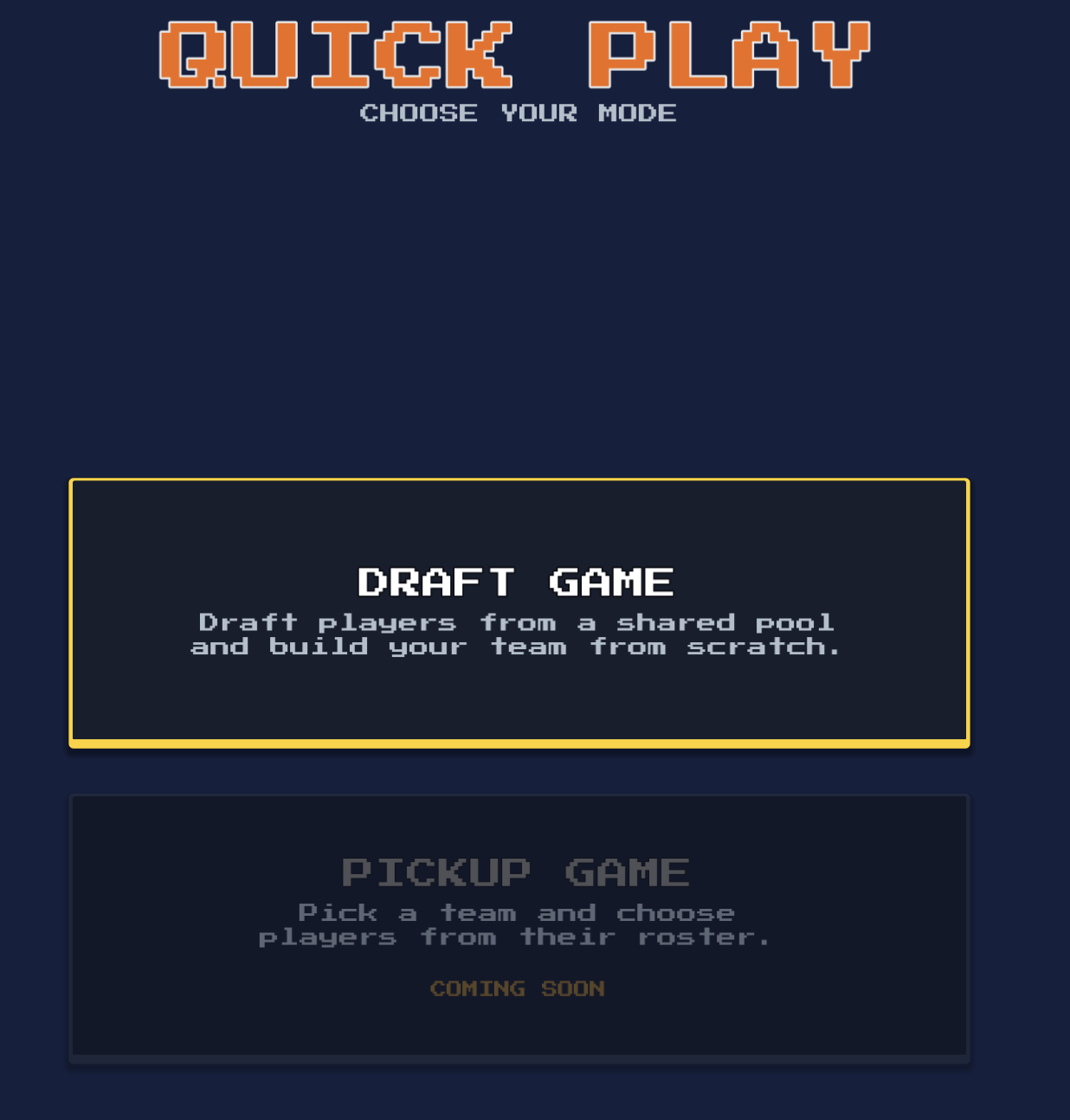
Quick Play mode select — choose between Draft Game (full player draft) and Pickup Game (auto-generated teams, straight to the field). Pickup Game is the fast path for when you just want to play.
How to Play — a tabbed reference screen covering every mechanic: movement, passing, skill moves, style meter, frenzy, defense, and the QTE system. Each tab shows controls for both desktop and mobile. It’s written to be scannable — no walls of text, just the information you need.
Store — a stub screen with Drip Store and Season Pass cards. No functionality yet, but the UI skeleton is in place for when monetization goes live.
Music
The settings screen now has an audio section with a music track selector. Seven original soundtrack tracks, each with a preview button. Pick your track and it plays during gameplay. It’s a simple feature but it changes the vibe of the game completely — street football needs a soundtrack.
Where this lands
None of this work shows up in a gameplay trailer. But it’s the foundation that lets everything else move faster. Config-driven tuning means I can iterate on feel without touching code. The debug panel means I can test any scenario in seconds. QuickStart means I never waste time clicking through menus to get to the part I’m actually working on.
The game is getting complex enough that this infrastructure isn’t optional anymore. It’s what makes the difference between a project that grinds to a halt and one that keeps shipping.
— Jesse